

Your theme sets how your public website looks. You choose one during setup and can change it whenever you like, the whole site restyles instantly and none of your content is lost.
Theme
Customize your whitelabel website theme, content, and branding.
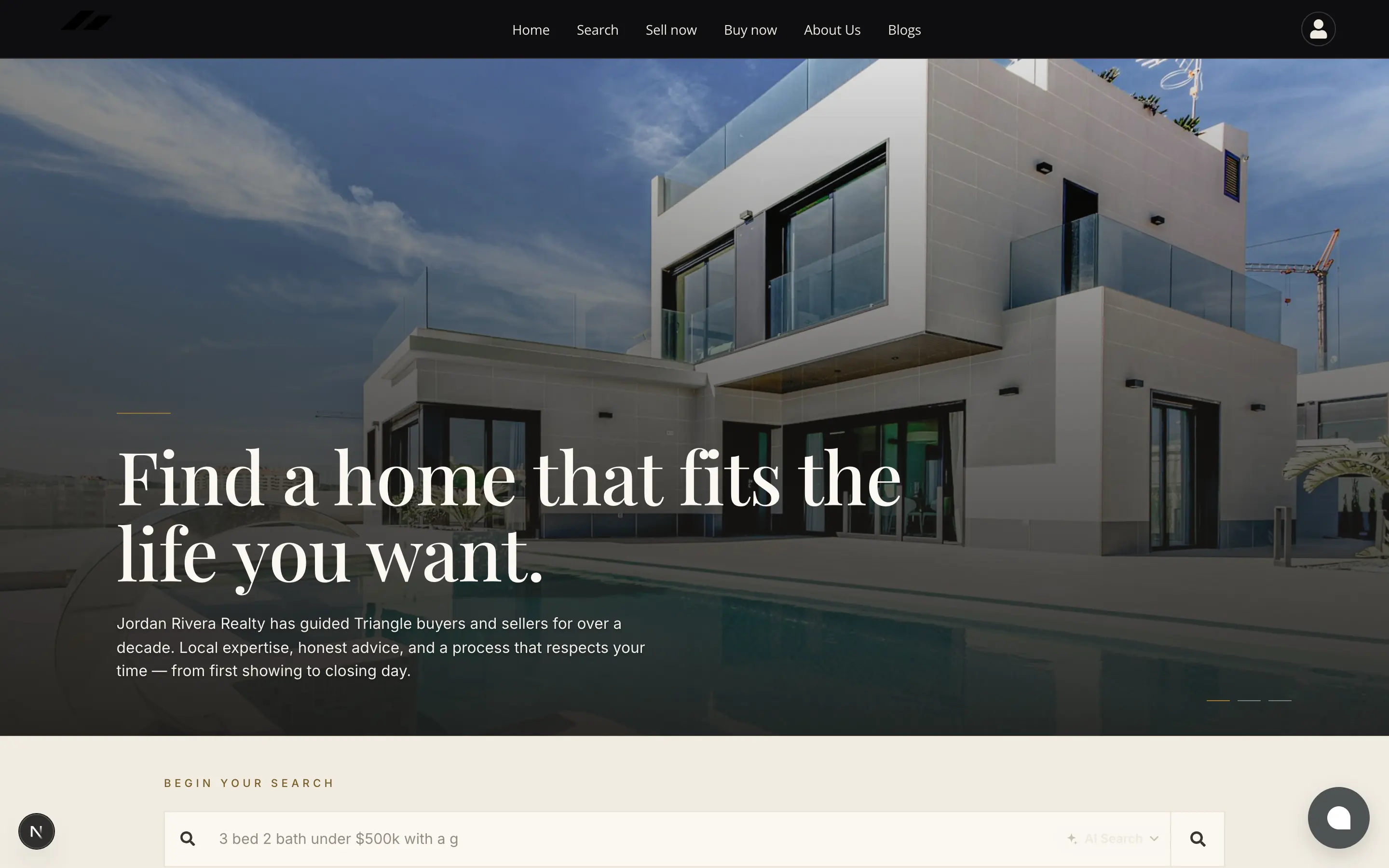
#The two families
The picker offers sixteen themes, and they work differently in one important way.
| Colour themes (6) | Designer themes (10) | |
|---|---|---|
| What they are | One layout, recoloured | Genuinely different layouts, type and hero treatments |
| Can you change the colours? | Yes | No, the palette is part of the design |
| Best when | You have brand colours you must match | You want it to look designed and do not want to fiddle |
| Family | Themes |
|---|---|
| Colour | Home-Green · Home-Blue · Home-Neutrals-Gray · Home-Warm Earth · Home-Bold with Accent Color · Home-Luxury |
| Designer | Manor · Atelier · Blueprint Light · Blueprint Dark · Sunlit · Coastal · Signal · Marquee · Aurora · Neo |
Blueprint Dark and Neo are dark designs. They look striking with strong photography and poor with low-light phone snaps, worth being honest with yourself about your photos before choosing one.
#Choosing one during setup
- 1
On the Theme step of the setup wizard, click any theme in the grid.
- 2
Watch the panel on the right.
It renders your real homepage in that theme, filled with sample copy until your own copy is ready.
- 3
Upload your photos from the same screen if you have them.
They appear in the preview immediately. See Your photos.
- 4
Click Continue. Nothing here is permanent, you can change theme any time afterwards.
#Changing it later
- 1
Go to Tenant Settings → Theme.
- 2
Click Edit Settings.
- 3
Open Brand & Theme.
- 4
Pick a different theme. The preview updates as you click.
- 5
Click Publish.
Until you publish, the change is only visible to you, see Preview, draft and publish.
Your text, photos, listings and settings all survive a theme change. A theme only controls presentation. The one thing to re-check is your photos, a designer theme uses your primary images as a full-width hero, so an image that looked fine in a small tile may need replacing.
#What a theme changes
| Changes | Does not change |
|---|---|
| Colour palette and buttons | Your website text |
| Fonts (designer themes ship their own) | Your photos, though how they are cropped may differ |
| Header and footer styling | Which sections are visible |
| The hero layout and how your photos are used | Your domain, listings, contacts or email |
#See them for real
Every theme is shown as an actual screenshot of a live agent site on the theme explorer, worth a look before you commit, since a grid swatch tells you very little about how a design actually feels.